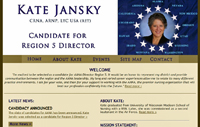
I'm seeing some weird links in the newsletter
that shouldn't be there. Certain words - like "email" and "best
healthcare" - are linked, and they lead to strange places. The words
should be text only. Wonder why this is happening?
According
to Bot Crawl, random links appearing on web pages are caused by adware or
malware which is also known as "Text Enhance." It is a form of
bundled flash adware (categorized as a "browser hijacker") that
attaches to internet browsers without user consent. In other words, computers
are infected with an adware virus that prompts certain text on web pages to
show as links when they aren't meant to be linked. The web sites themselves are
not infected, but the computer or browser is.
More
from Bot Crawl:
Victims of the virus usually notice they have
been attacked by Text Enhance when web pages have links or hover links with spam
advertisements and information in a pop up window. These are called
"in-text advertisements." The owners behind Text Enhance generate
income by providing advertisement services (adware platform) to cyber criminals
and unethical third parties, as well as compromising and possibly selling
personal information. Note: Text Enhance does not infect web sites, Text
Enhance infects individual users. If you see text advertisements on a web site
then you are infected, not the web site.
Click here for steps to get rid of the virus (look near the bottom of the page), or
use the following instructions for Internet Explorer via Bot Crawl:
How To
Remove Text Enhance
(And Third-Party Malware)
Microsoft
Internet Explorer:
Step 1: Clear browser cache load and cookies.
Step 2: Click the "Tools" button
and then click "Manage add-ons."
Step 3: Under SHOW, click "All
add-ons" or "Toolbars & Extensions" (depending on which version of IE you use).
Step 4: Select the Text Enhance plug-in from
the list of software, and click disable. Possible
Extension Names: Bandicam, BCool,
Better Links, Bflix1.0, Browser Enhancements 1.0, Click 2 Save, Codec-V,
CodecC, CodecC 1.0, CodecM, Codecv 1.0, Coupon Companion, Crossrider Web Apps,
Deal Spy, Dealply, Deals Plugin, Downloadnsave, Facebook Dislike Button
(extension, not actual button or link), Facetheme, Fantapper, Fast save,
Flashblock, Freemind, Game Play Labs, Greasemonkey, Ilivid, I Want That, I Want
This, Iminent, Installed Class, With Java plug-ins, Jlmp3, Media Plugin,
Notepad, OneTab, Pando Media Enhancer, Premiumplay Codec, Privacy SafeGuard, Privacy
SafeGuard 1.1, Protector by IB2.0.0.412, Rewardsarcade, RewardsArcadeSuite,
SearchEnhance, Shockwave, SiteAdvisor, Splashtop Inc, SportHunter TV App,
Startnow Toolbar, TheBflix, TheBflix5.0, TheBflix Class, Toad, Vid-Saver, Video
File Download, Vuze, VMWare Player, Widgi Toolbar Platform, wxDfast,
Xtendmedia, Yontoo, YouTube Plus and ZoomEx.
How to
block the Text Enhance cookie: From the "Tools" menu of Internet
Explorer, select Internet Options; select the PRIVACY tab and then click SITES.
The "Per site privacy actions" window will be displayed. In the Per
site privacy actions window, enter Text-Enhance.com in the address of web site
field. Click BLOCK.
Restricted
site option: Access:
Tools(Alt-x) > Internet Options; select the SECURITY tab and click RESTRICTED
sites. Click the "Sites" button and individually enter: Text-Enhance.com and Textsrv.com.
For
more browser options, go to Bot Crawl.
Online
advertisements are bad enough, but when you have malware forcing you to
unwanted sites it is more than infuriating. It's especially frustrating when
you spend a great deal of time designing and putting together an ad-free web
page only to have adware hi-jinks forcing viewers to places they don't want to
go. It also makes users and clients question the designer as if they are adding
the links on purpose. Thankfully, our client fully understood what was
happening once we explained it to her and did not hold us responsible.